


Downloader by AFTVnews
AFTVnews.com
I found Downloader by AFTVnews most useful in situations where getting a file onto an Android device is more awkward than it should be. Instead of opening a full browser, searching through several pages, and then trying to identify the correct download button, I can enter a web address or a short code and begin the process from one focused tool. That simple approach is the reason this free tools app has become so widely used, with over 50 million installs and a 4.4 average from around 45 thousand ratings.
My experience with it is less about replacing every browser and more about having a direct route for a specific task: moving an APK or another downloadable file from a known online location to the device I am using. It feels especially practical on Android-based media players and television devices, where typing long addresses with a remote is slow and frustrating. On a phone, it is still useful, but the advantage depends much more on the situation.
How Downloader handles real-world connectivity
The app’s entire purpose is tied to an active connection. I need the internet to enter a destination, reach the file, and complete the transfer, so the quality of the experience depends heavily on the network at that moment. When the connection is stable and the address is correct, the workflow is refreshingly direct. When the network is weak, captive, interrupted, or simply pointing to a troublesome page, the app cannot make that underlying problem disappear.
This is an important distinction. Downloader is not a general file manager that happens to include a download button, nor is it a magic solution for unavailable websites. It gives me a compact way to request a file, but the source still needs to be reachable and the destination still needs to provide something the app can process. I therefore treat it as a delivery tool rather than a guarantee that every URL will work.
The short-code option is particularly helpful in a living-room setup. A long web address can be unpleasant to enter with a remote control, especially when it contains mixed characters, punctuation, or a path that is easy to mistype. A short code reduces that input burden, although I still need to get the code from a trustworthy source. Convenience should not replace checking where a file comes from.
Latest News

Uber Eats Under Pressure: What Happens When Delivery Goes Wrong

How QR & Barcode Scanner Adapts to Android and iOS Innovations

Why Waze Navigation & Live Traffic Is Your Essential Travel Companion

CapCut Mastery: Unleash Hidden Features for Pro-Level Editing

How OS Updates Enhance Roblox Adventures

Teacher Simulator: Exam Time Turns Quick Classroom Judgments into a Repetitive Loop
On a phone connected to a reliable home network, the process feels almost effortless. I can paste a destination instead of typing it, start the request, and continue with another task while the file transfers. On mobile data, the same action deserves more thought because a large APK or media file can consume a meaningful portion of a monthly allowance. The app makes the request easier; it does not make the transfer smaller.
Why the network matters more than the interface
Downloader’s interface is intentionally narrow, so there are fewer places for me to get lost than in a conventional browser. That is a strength when I already know the exact destination. It is less helpful when I am trying to discover content, compare sources, or diagnose a website that is behaving strangely. In those cases, a full browser gives me more context, more navigation tools, and a clearer view of what I am about to download.
I also found that a successful connection does not automatically mean a successful download. A source can redirect through several pages, require an interaction, or return a page rather than the file I expected. The practical lesson is to use a direct, reputable destination whenever possible. If the source is unfamiliar, I would rather investigate it in a browser first than blindly paste its address into a download-focused tool.
Gallery
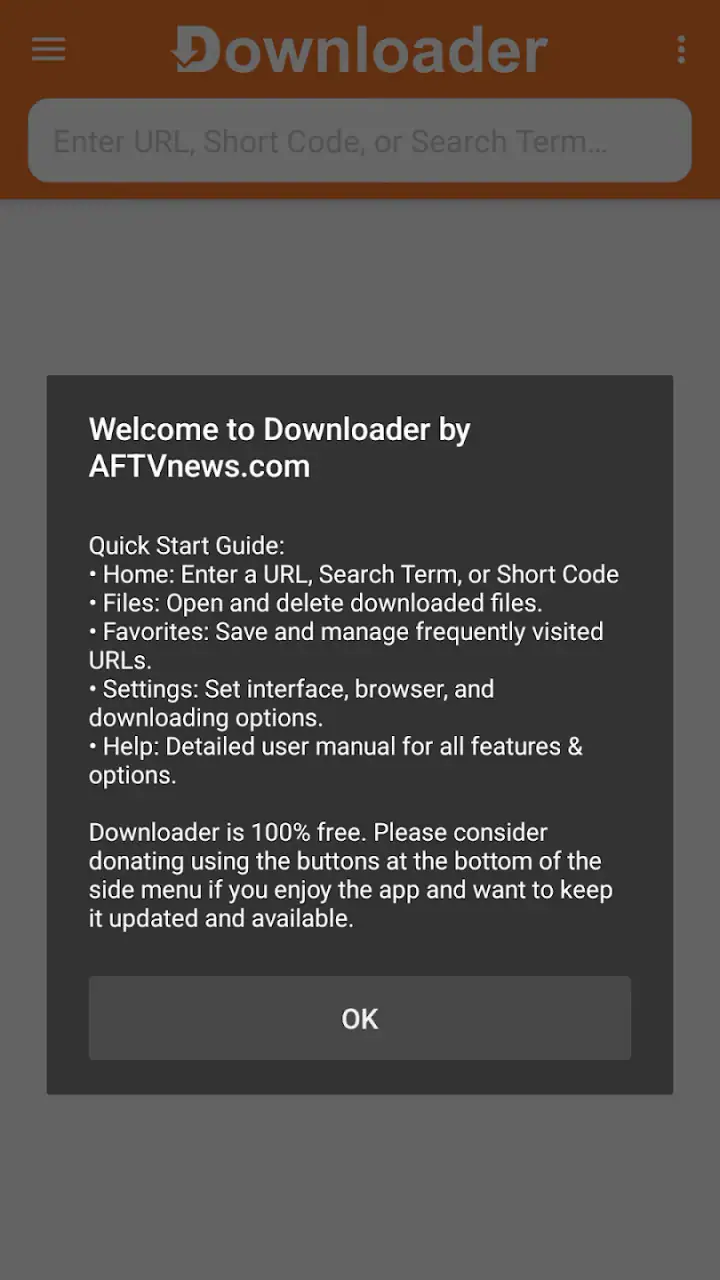
That workflow is one of the app’s less obvious strengths: separating discovery from delivery. I can research a file elsewhere, verify that the source is legitimate, and then use Downloader only when I know what I want to retrieve. This reduces clutter and makes the app feel purposeful instead of trying to be an all-in-one browser.
Using it away from a desk
Downloader makes the most sense when the device is difficult to operate with ordinary browsing controls. On an Android television device, for example, I might want to retrieve an APK from a known address without connecting a keyboard, opening several browser tabs, or navigating a page designed for touch. A short code can turn that into a much more manageable living-room task.
That scenario also exposes the app’s boundaries. Entering text with a remote is still slower than pasting on a phone, and a large download can take patience over a crowded wireless network. I would start the transfer when other people are not relying heavily on the same connection, particularly if the file is substantial. The app cannot improve a congested router or a distant server.
On a phone, I see a different benefit. If I receive a trusted destination through a message or note, a focused downloader can be quicker than opening a browser and dealing with pop-ups or unrelated page elements. Still, the phone’s built-in browser is often the better choice for ordinary web use. Downloader earns its place when the task is specifically “retrieve this file,” not “browse the web.”
For people who regularly move between devices, the short-code workflow can also reduce typing errors. I can use a code supplied by a service or source instead of entering a long address character by character. The trade-off is that a code may hide the final destination from me, so I should only use one when I trust the person or site providing it. A shorter input is convenient, but it is not automatically safer.
What happens when a download goes wrong
The most useful way to approach Downloader is with realistic expectations about failure. A broken transfer may come from the network, the source, an incorrectly entered address, or a device that does not handle the requested file as expected. Because the app is focused on starting downloads, I would not expect it to replace the broader troubleshooting tools available in a browser or file manager.
My first recovery step would be simple: check the address or short code carefully and try again on a stable connection. If the same source repeatedly fails, I would open it in a regular browser to see whether it redirects, asks for an interaction, or displays an error. That tells me whether the issue is with the destination rather than the app. Repeating the same request without checking the source usually wastes time.
There is also a useful difference between a transfer that never starts and one that stops partway through. A failure at the beginning often points toward an invalid destination, a blocked request, or a connection problem. A partial transfer suggests instability or a source that stopped responding. In either case, I would avoid assuming that a file with a familiar name is complete or safe simply because a download appeared to finish.
When retrieving APKs, I am especially careful at the recovery stage. I verify the source before trying another copy, and I avoid downloading a replacement from a random mirror just because the first attempt failed. Downloader makes file retrieval convenient, but that convenience puts more responsibility on me to judge the destination. The app simplifies the path to a file; it does not verify the file for me.
A browser may be preferable when I need visible error messages, account access, page controls, or a detailed view of redirects. Downloader is better when the source is already known and the only job is to initiate the transfer. Choosing between the two based on the problem at hand is more effective than treating one as universally superior.
Keeping mobile data and storage under control
Because the app can fetch files directly, I would use it carefully on a mobile connection. Before starting, I check whether I am on Wi-Fi and whether the file is genuinely needed. This is particularly important for APKs and other large downloads, where an accidental tap can use more data than expected. The app’s free price does not mean the network transfer has no cost; the carrier plan still matters.
A practical habit is to prepare the destination before beginning. I make sure the device has enough available storage and close unnecessary downloads or streaming activity. That does not change the file size, but it reduces avoidable interruptions. On a television device with limited free space, this check is more important than it might be on a modern phone.
I also avoid using Downloader as a temporary dumping ground. If I retrieve several files and never organize or remove them, finding the correct version later becomes harder. After a successful transfer, I identify what the file is for and keep only what I still need. A dedicated download tool can make acquisition tidy, but storage management remains my responsibility.
For people with inconsistent connectivity, timing matters. Starting a large transfer while commuting or moving between access points is less reliable than waiting until I am stationary on a known network. The app is convenient in mobile contexts, but “mobile” does not always mean “best used while moving.” A stable connection usually matters more than immediate access.
There is another trade-off with direct downloading: speed and simplicity come at the cost of context. A browser may show the page title, source details, and surrounding information before I commit to a file. Downloader encourages a more direct action, which is excellent when I have already done my research but less suitable when I am still deciding. I would never use the shortest workflow as an excuse to skip source checking.
Who should use it and who should choose something else
I would recommend Downloader to Android users who often need to retrieve files from known addresses, especially on devices controlled with a remote. It is also a good fit for someone who wants a straightforward route for APK downloads without turning a television screen into a miniature desktop browser. The app is free, carries an Everyone content rating, and supports devices running Android 6.0 or later, which makes it accessible to many older Android setups.
The current version is 2.0.0-ForGoogleAndroidDevices, and the app comes from AFTVnews.com. Those details matter most when checking compatibility before installing it on a particular device. If the device is running an older system, I would check its software version first rather than assuming every Android product can use the same release.
I would skip it if my main need is everyday web browsing, cloud storage management, batch organization, or detailed download control. A full browser is more flexible for exploring websites, while a file manager is more appropriate for sorting, renaming, and moving files after they arrive. Downloader sits between those tasks, with a deliberately focused role.
The app also may not be the right answer for users who want a highly guided safety experience. Since the destination is supplied by the user, the quality of the result depends on the source. Anyone uncomfortable with APK installation or unfamiliar download pages should take extra care and may prefer obtaining apps through the device’s normal official store whenever that option exists.
There are in-app purchases ranging from around two dollars to one hundred dollars per item, so I would review any purchase prompt carefully rather than assuming every part of the experience is covered by the free download. The app’s core appeal is its direct workflow, but users should still pay attention to what appears on screen before confirming anything.
My connectivity verdict
After using Downloader as a focused retrieval tool, I see its value in the moments when ordinary browsing becomes cumbersome. It is especially convincing on Android television hardware, where a short code or known destination can save a great deal of remote-control typing. On a phone, it is more situational: useful for a direct file request, but not a replacement for the browser, file manager, or official app store.
The strongest approach is to pair it with sensible habits. I confirm the source, prefer a stable Wi-Fi connection for larger files, check available storage, and investigate failures rather than repeatedly guessing. Those steps make the experience more dependable and reduce the risks that come from treating a direct download as automatically trustworthy.
My recommendation is simple: choose Downloader when connectivity is available and the destination is already known. Its streamlined design removes unnecessary browsing steps, but it cannot compensate for a bad link, a weak network, limited storage, or an untrusted source. For that specific job, it is a practical and approachable tool; for everything around the job, I would keep a browser and file manager close by.
FAQs for Downloader by AFTVnews
What is Downloader by AFTVnews and what platforms is it available on?
Downloader by AFTVnews is a popular utility app designed to facilitate downloading files from the internet directly to your device. It is primarily available for Amazon Fire TV and Android devices. This app is particularly useful for sideloading apps and managing files on your smart TV or mobile device.
Is Downloader by AFTVnews safe to use?
Yes, Downloader by AFTVnews is generally considered safe to use. It is a well-reviewed app in the Amazon Appstore and Google Play Store. However, as with any downloading tool, it is important to ensure that you download content from reputable sources to avoid malware or other security risks.
Does Downloader by AFTVnews support all file types?
Downloader by AFTVnews supports a wide variety of file types, including APKs, PDFs, and multimedia files. It is particularly popular for downloading and installing APK files on Amazon Fire TV devices. However, some file types may not be compatible depending on your device's capabilities and installed applications.
Can I use Downloader by AFTVnews to browse the web?
Yes, Downloader by AFTVnews includes a built-in web browser. This feature allows users to navigate websites directly from the app to find and download content easily. The browser is simple and efficient, designed specifically for convenience in downloading files rather than extensive web browsing.
Are there any costs associated with using Downloader by AFTVnews?
Downloader by AFTVnews is free to download and use. There is no subscription required, and the app does not include in-app purchases. However, it may display ads. If you wish to support the developer, there is an option to donate, but this is entirely optional.
Pros
- User-friendly interface for easy navigation.
- Supports multiple file types and formats.
- Fast download speeds enhance user experience.
- Ad-free for uninterrupted usage.
- Compatible with various devices and platforms.
Cons
- No built-in media player for file previews.
- Limited cloud storage integration options.
- Requires manual updates for new features.
- Minimal customer support for troubleshooting.
- Lacks advanced download management tools.


